
Quality of Life Improvements in Deepsolver
Deepsolver updates bring more training options, expanded Aggregate Reports, and easier strategy simplification. Here's what's new.

Even small changes can make a difference in how comfortably you use an application. That's also true for Deepsolver.
We've recently introduced several updates to our No Limit Hold'em solver, making it easier to practice, analyze strategies, and work with calculations. Here's a closer look at three of the most notable additions.
More Options in the GTO Trainer
The GTO Trainer now supports preflop drills, giving you another way to practice your strategy.
You can start a training session preflop in four different scenarios: single-raised pots, 3-bet pots, 4-bet pots, and squeeze pots. As before, you can practice on up to four tables simultaneously and either select a specific position or let the trainer assign one randomly.
We've also added support for multiway training (currently limited to preflop) and full heads-up hands, allowing you to practice decisions across all streets.
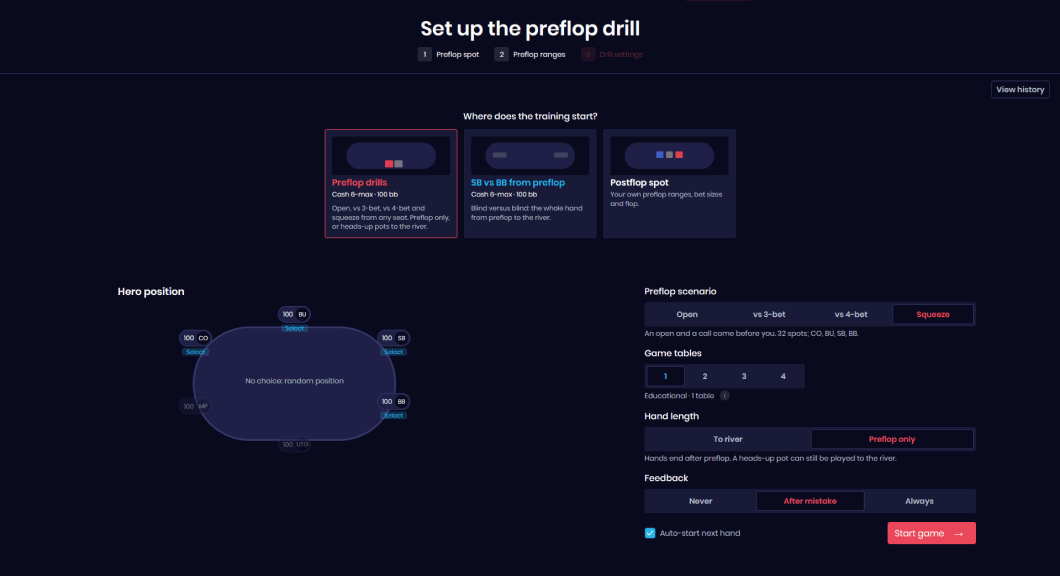
You can customize how often the trainer provides feedback, choosing between three settings: Never, After Mistake, and Always. When feedback is enabled, you can see the EV difference, measured in big blinds, between your action and the solver's preferred choice.
Finally, the View History window now lets you review your previous sessions, statistics, and training settings without having to start a new hand.
More Flops in Aggregate Reports
Aggregate Reports help you understand how optimal strategies vary across different board textures. Rather than examining individual flops in isolation, you can identify broader patterns and see how they affect your decisions.
We've expanded the available flop library to 1,755 representative boards, covering the full range of strategically distinct flop structures in a manageable set.
Why 1,755? This number provides a practical way to study the entire flop space without having to analyze all 22,100 possible flops individually.
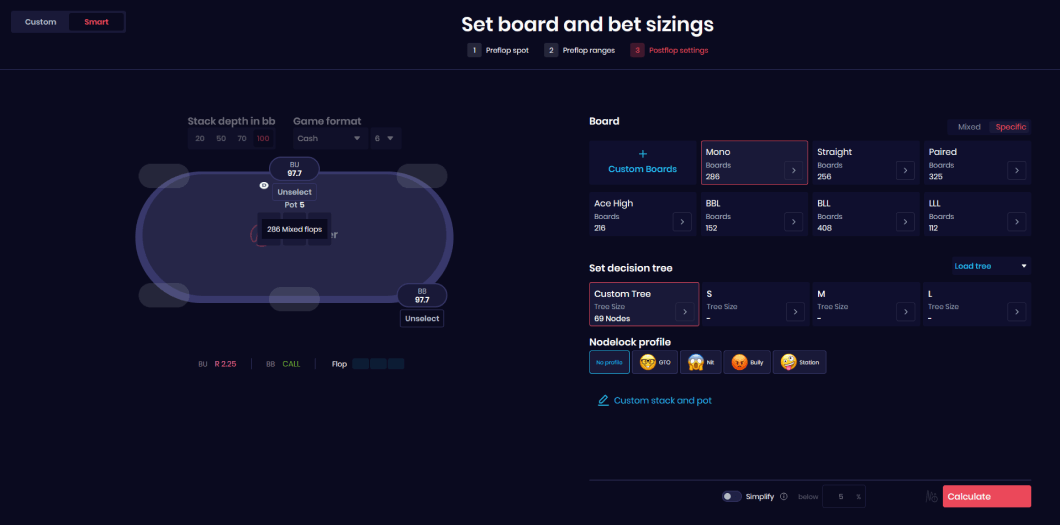
To make navigation easier, the boards are organized into categories such as Monotone, Straight, Paired, Ace-high, BBL (Big-Big-Low), BLL (Big-Low-Low), and LLL (Low-Low-Low).
Another addition is the option to apply node locking from the start. You can select one of four predefined player profiles, each with three available strength settings, to examine how strategies change against different types of opponents.
Simplifying Got More Accessible
The Simplify feature lets you reduce the number of available actions in a solution by removing less frequently used options. This can make solver strategies easier to understand and apply at the tables while keeping the resulting EV loss small.
Previously, simplification was only available for completed calculations. Now, you can enable it before submitting a calculation, so the resulting strategy is already simplified when the solve finishes.
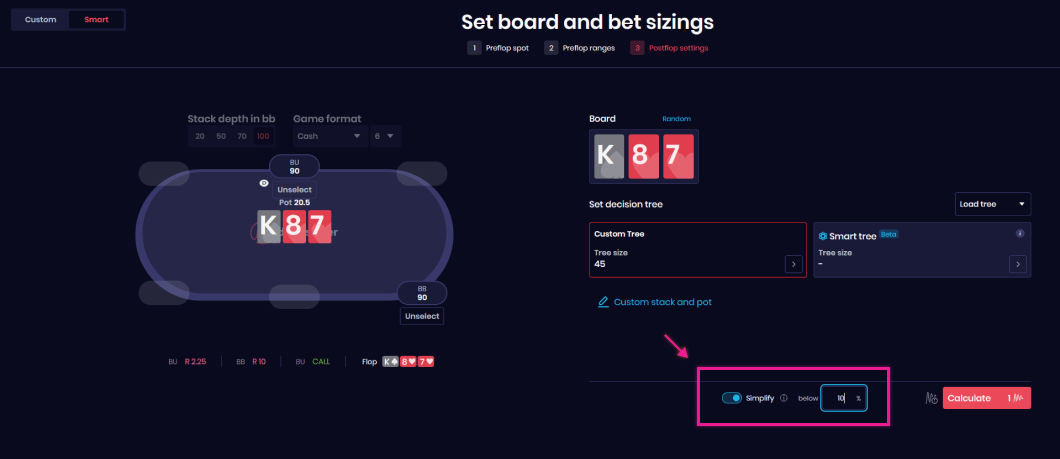
This option is available for both custom solutions and Aggregate Reports, allowing you to work with a smaller decision tree from the beginning.
More Updates to Come
These are just some of the changes we've introduced recently. We've also made smaller improvements behind the scenes, with a continued focus on performance, usability, and making Deepsolver easier to navigate.
We'll continue refining existing features and introducing further updates over the coming months.
A note for future readers: Deepsolver is actively developed, so some interface elements shown in the screenshots may look different if you're reading this article in December 2026 or later.